


Javier Cantón
Plain Concepts CTIO


We are living through a turning point in the history of technology. The latest advances in artificial intelligence are changing the way software is built, and at Evergine we have been bringing them into the project itself. That has allowed us to raise the quality of the whole engine, and we honestly believe this is the best release we have ever shipped.
It also arrives at a very special moment for us: the NuGet packages created by the team have just passed 5.5 million downloads. That number belongs to every company, anywhere in the world, that has trusted Evergine to build its products. So before anything else, thank you.
For over a decade, our licensing model has been built on a foundation of accessibility, ensuring that all users can benefit from its capabilities:
For more information about our premium services visit our website.
What’s new?
For this release, the biggest step forward is in physics. Evergine now runs on Jolt Physics, a faster and more stable engine that brings vehicles, characters, ragdolls and soft bodies, and the first stage of a roadmap that points to Physical AI, with MuJoCo coming next for robotics. We are also bringing Evergine to Android XR, Google’s new platform for headsets and glasses, starting with XREAL AURA, the first wired XR glasses on the platform.
On the rendering side, DirectX 12 becomes the default backend in Evergine Studio and in the project templates, and the Cesium add-on, which brings the whole planet into your applications, now renders much faster. Shadows are sharper and steadier, Buffer Views make better use of GPU memory, and Gaussian Splatting now does its heavy work on the GPU, something anyone can try in our new viewer at splat.evergine.com.
Finally, a big part of this release is about making Evergine more productive and more reliable. Evergine Studio gets Play Mode, pixel perfect selection and drag and drop almost everywhere. The team has closed more than 200 bugs and added more than 1,600 automated tests, and the documentation grows with 51 new pages, new diagrams and dozens of videos.
Download Evergine today!
Major Highlights
Jolt Physics, the first step toward Physical AI
Physical AI, artificial intelligence that perceives and acts in the real world, is one of the fastest growing fields today. Robots, autonomous vehicles and smart machines are trained and validated in simulation long before they reach a factory floor, and that simulation needs physics you can trust. Our goal is to make Evergine a platform where these solutions can be built.
The first step was to replace the physics engine. Evergine now runs on Jolt Physics, a modern open source engine that is faster, more stable and comes with many more features: wheeled and tracked vehicles, a new character controller, ragdolls and soft bodies such as cloth. The simulation is spread across CPU cores, so interactive applications, XR included, respond faster than ever.
You can try the new forklift sample in your browser right now.
Internally, we are already working so that Evergine can switch between different physics engines. The next one is MuJoCo, the reference simulator in robotics research, which will let you bring real robot models into an industrial scene and watch them move like the real thing.
For the full story, read Jolt Physics in Evergine.
Evergine arrives on Android XR
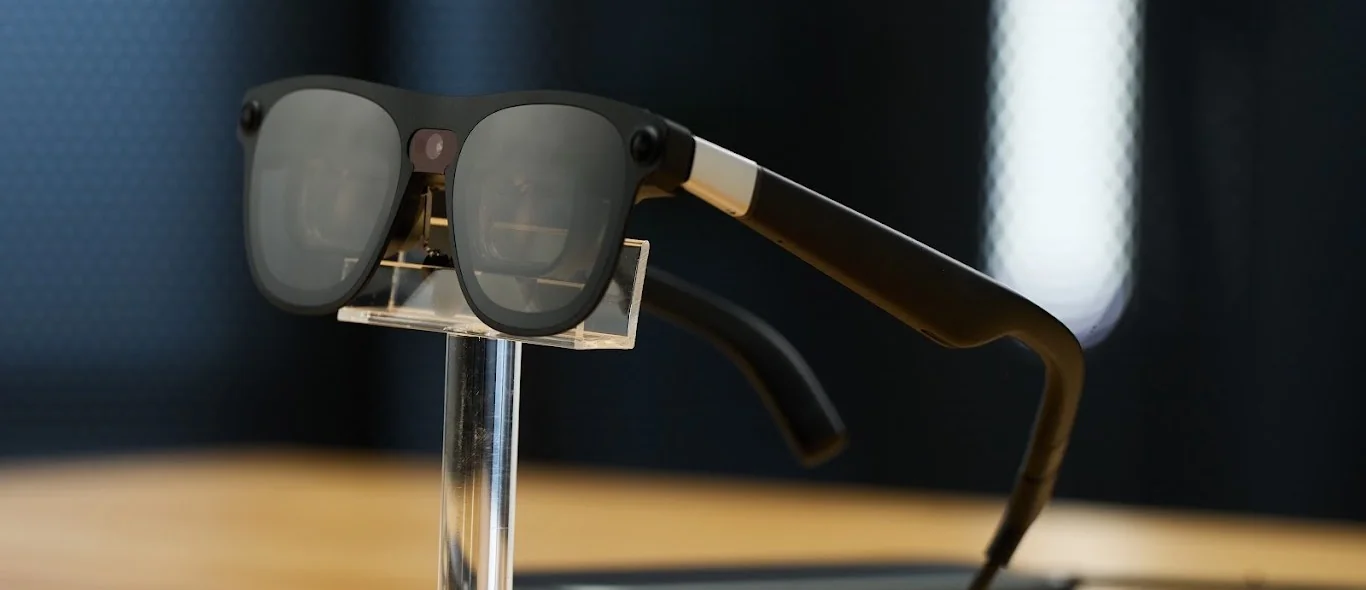
XREAL AURA glasses. Image: XREAL
Android XR is Google’s new platform for headsets and glasses, developed together with Samsung and Qualcomm, and Evergine supports it from day one. We were selected for Google’s Android XR Developer Catalyst Program, which gave us early access to XREAL AURA, the first wired XR glasses on the platform, and let us build the integration on real hardware ahead of the public launch.
Your Evergine apps, including everything built with Evergine MRTK, now run on these lightweight glasses, with hand tracking ready from the very first build. The lenses can stay clear to blend 3D content with the real world, or darken completely for fully immersive VR. And to get started in minutes, there is a new Android XR template in the Evergine Launcher.
For industry, this is a big step. These glasses bring the kind of mixed reality capabilities that devices like HoloLens offered, but in a completely different form factor: they weigh under 95 grams, and the heavy processing runs on a small compute puck connected by a cable, so neither the weight nor the heat ends up on the user’s head. That makes long working sessions realistic, whether for remote assistance, training on the shop floor or digital twin inspection, with both hands free and the information right where the work happens.
Discover how we built it in Evergine + Android XR.
A more productive Evergine Studio
A big part of the work in this release has gone into the place where you spend most of your day: the editor. Evergine Studio is now faster, more precise and much more comfortable to use, with improvements that save time in every session:
Take a tour of every change in What’s New in Evergine Studio.
DirectX 12 as the default backend
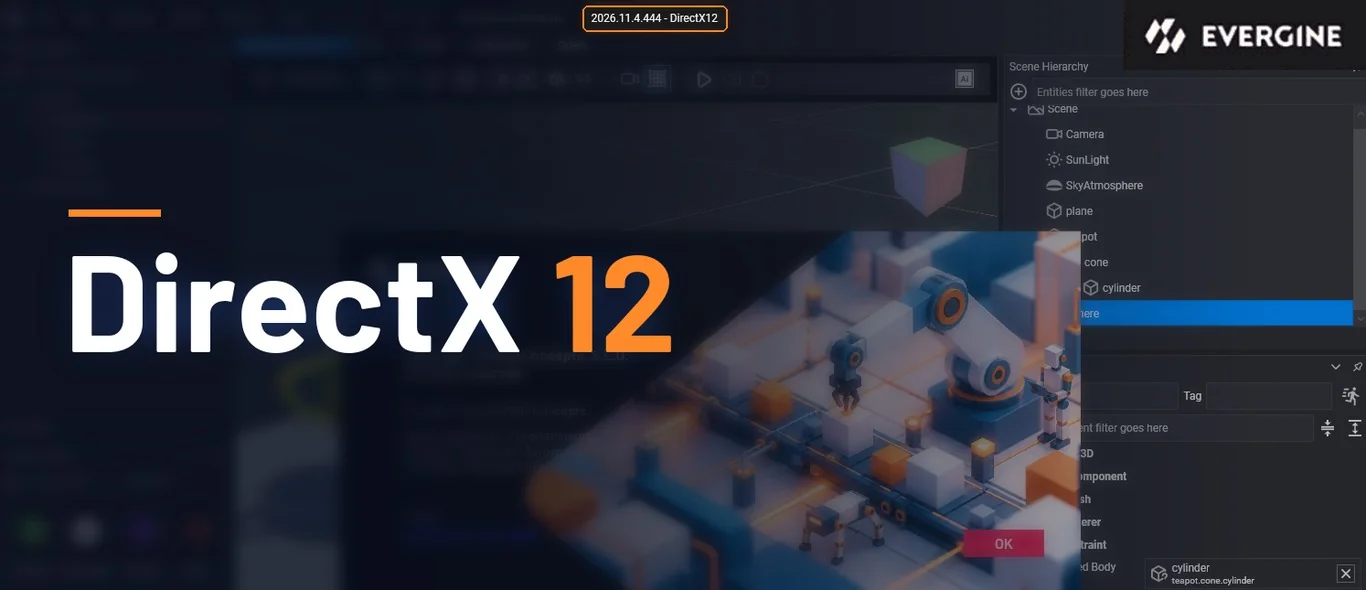
For years, DirectX 11 has been the default graphics backend in Evergine. It was the one we had invested the most in, the most tested and the most stable. When we added DirectX 12 and Vulkan, the way of programming the GPU changed completely, but in practice graphics drivers often still performed better on DirectX 11. Matching that performance with a modern API was not a given.
After a long optimization effort, in this release DirectX 12 finally outperforms what we had with DirectX 11. That is why, for the first time, both Evergine Studio and the default project templates run on DirectX 12 out of the box.
This is part of a bigger plan. The future of Evergine is built on DirectX 12, Vulkan, Metal and WebGPU. DirectX 11, OpenGL and WebGL are now considered legacy backends, and the team’s efforts will go into improving these four modern APIs. They give us access to low-level capabilities that older APIs simply do not offer, and they will let us build high-level features that until now were out of reach.
splat.evergine.com, our Gaussian Splatting viewer
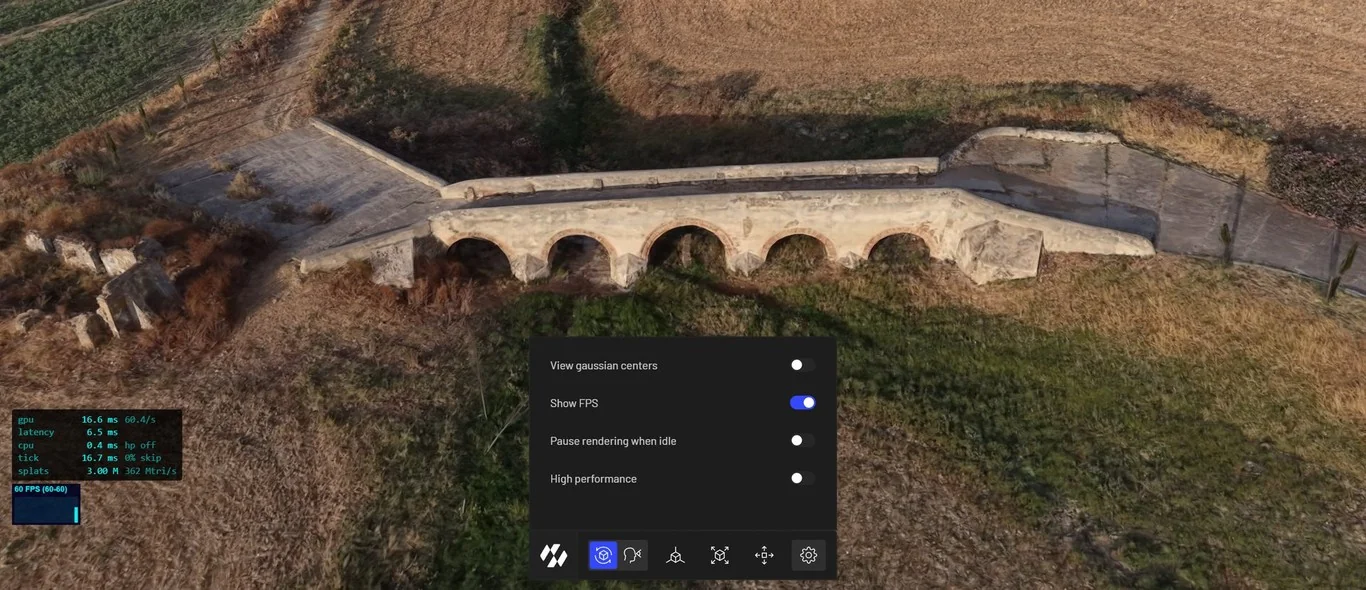
Gaussian Splatting is one of the technologies we work on most with our customers, and we wanted anyone to be able to see where it stands today. That is why we have published splat.evergine.com, a free Gaussian Splatting viewer built with our own technology on top of Evergine. Drag your capture onto the page and it opens, with nothing to install.
Behind the viewer is our Gaussian Splatting add-on for Evergine, and the technology is not limited to the web. In the browser it runs on WebGL and WebGPU and picks the best option automatically, WebGPU whenever it is available, since it delivers better performance. But the same viewer works on every platform Evergine supports: desktop, mobile and even XR. This makes it easy for companies to embed a Gaussian Splatting viewer in their own applications, from desktop tools that handle large volumes of data to web applications.
It reads the most widely used Gaussian Splatting formats on the market, PLY, SPLAT, SOG, SPZ and KSPLAT, and it also supports the LCC and LCC2 formats from XGRIDS natively, so captures from their scanners can be loaded directly. Any company or person, anywhere in the world, can now try their own captures in it.
Gaussian Splatting improvements
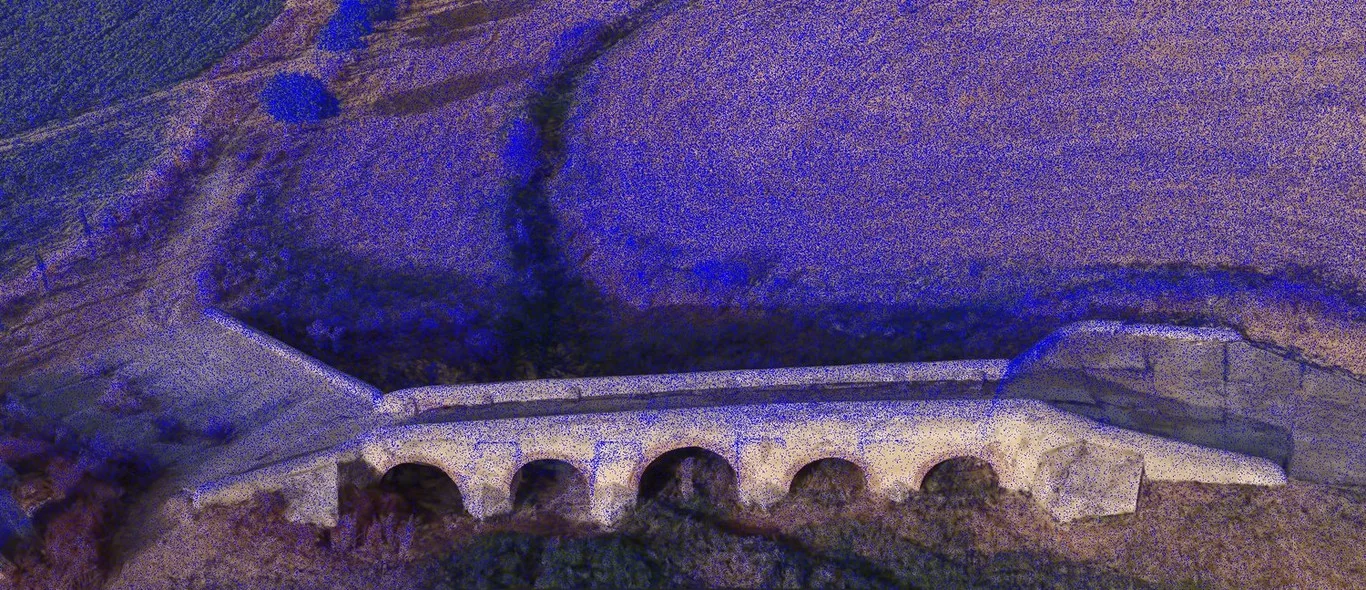
The add-on behind splat.evergine.com has taken a big step forward in this release. On platforms that support compute shaders, such as DirectX 12, Vulkan, Metal and WebGPU, the splats are now sorted and prepared on the GPU before they are drawn. That frees the CPU for the rest of the application and makes scenes render much faster, especially in browsers with WebGPU.
We have also thought about modest devices. New options skip the splats that barely contribute to the image and limit how often the scene is re-sorted, which keeps phones cool and batteries alive without a visible loss of quality.
Scenes load faster and use less memory, and new formats such as PLY, SPZ, KSplat, LCC and LCC2 are detected automatically. Finally, splats can now be selected and colored by groups, a natural way to show the result of an AI model that recognizes walls, machines or pipes inside a capture.
All the details are in What’s New in the Gaussian Splatting Add-on.
And we keep pushing it forward. Internally, we already have a new stochastic Gaussian Splatting renderer up and running. It removes the need for alpha blending and improves performance by 40% to 60%.
Sharper, steadier shadows
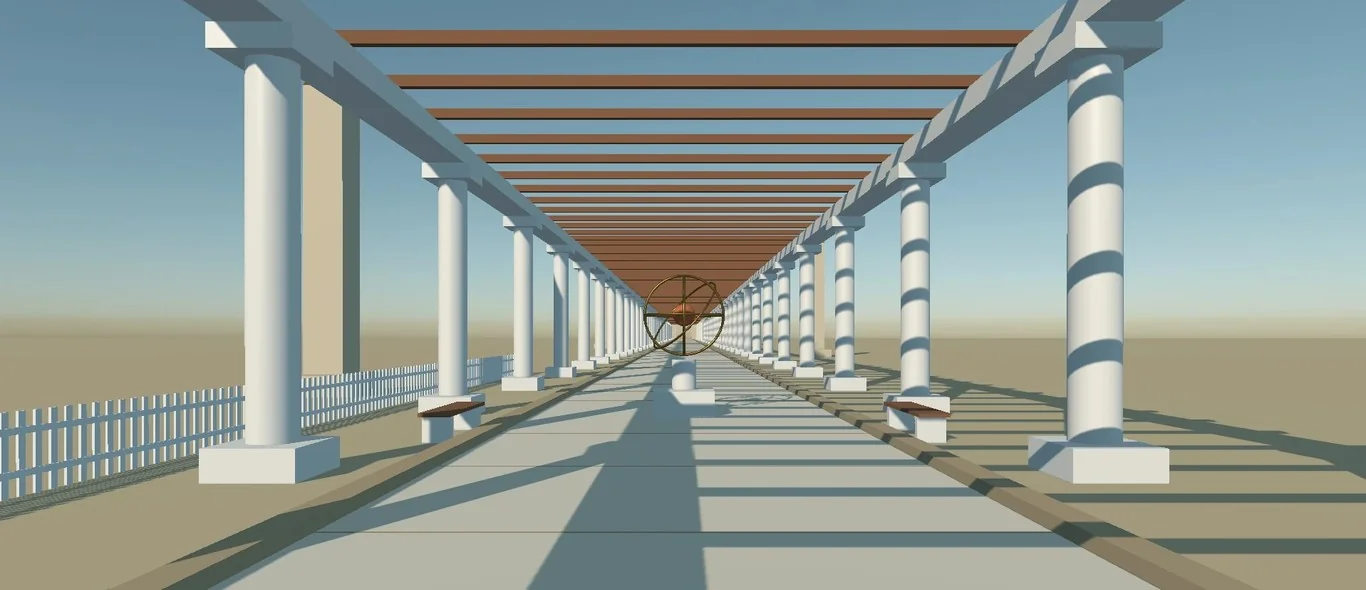
Shadows are one of those details that make a 3D scene feel grounded and believable, and also one of the easiest to get visibly wrong. In this release we have reworked the whole shadow system to make shadows steadier, cleaner and much easier to tune.
The shadows cast by the sun no longer shimmer or crawl when the camera moves or rotates. A new way of applying bias removes the stripes that used to appear on some surfaces and the shadows that seemed to float away from their objects, with a single setting that works both up close and in the distance. Spot, point and area lights get the same improvements, and point lights lose the visible seams they used to show.
You also get much more control over quality and performance, from the number of cascades to how often distant shadows are updated, plus new debug views to see exactly how your shadows are built.
Discover everything that has changed in Rethinking Shadows in Evergine.
Buffer Views: one buffer, many uses
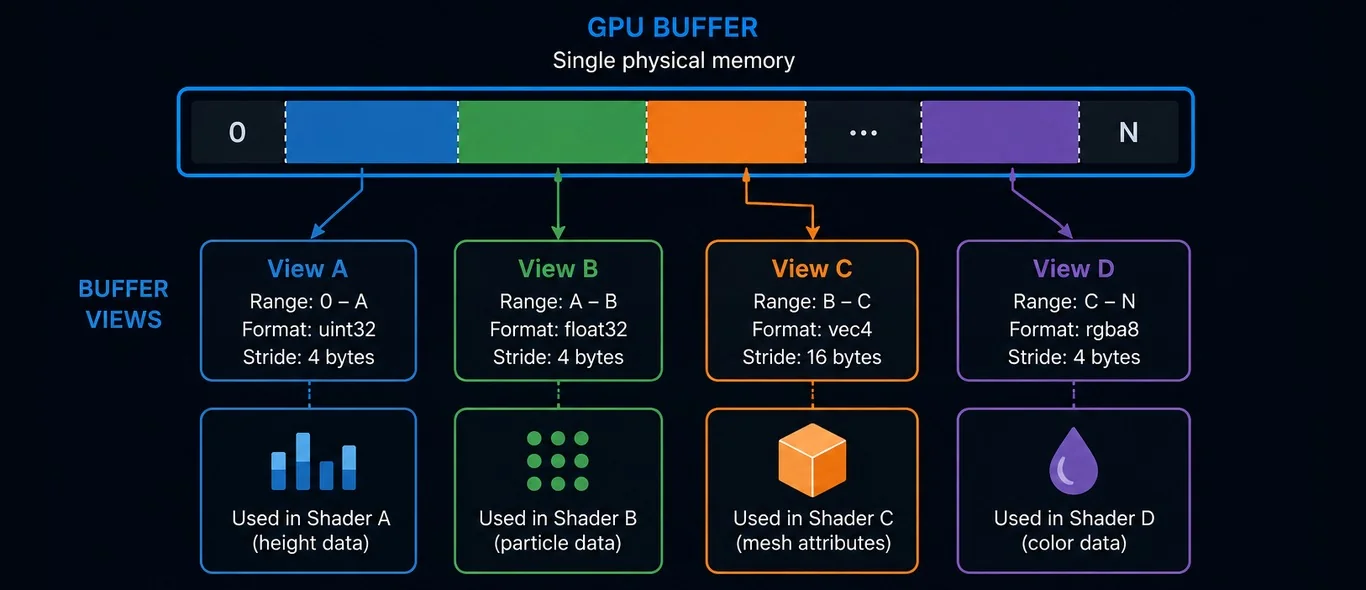
Not every improvement shows up on screen at first glance. Some make the engine itself stronger, and Buffer Views is one of them.
Until now, when the same GPU data had to be used in different ways, the usual answer was to create a dedicated buffer for each case or to copy the data around. With Buffer Views, a single block of GPU memory can be read through several views, each one covering a specific range and interpreting the bytes in its own way. The data is stored once and reused as many times as needed.
The result is less memory duplication, fewer copies and a cleaner architecture, especially when rendering and compute share the same data. It behaves the same way on every graphics backend Evergine supports, and it lays the groundwork for the advanced rendering techniques that are coming next.
Learn how it works in Buffer Views in Evergine.
Cesium, much faster
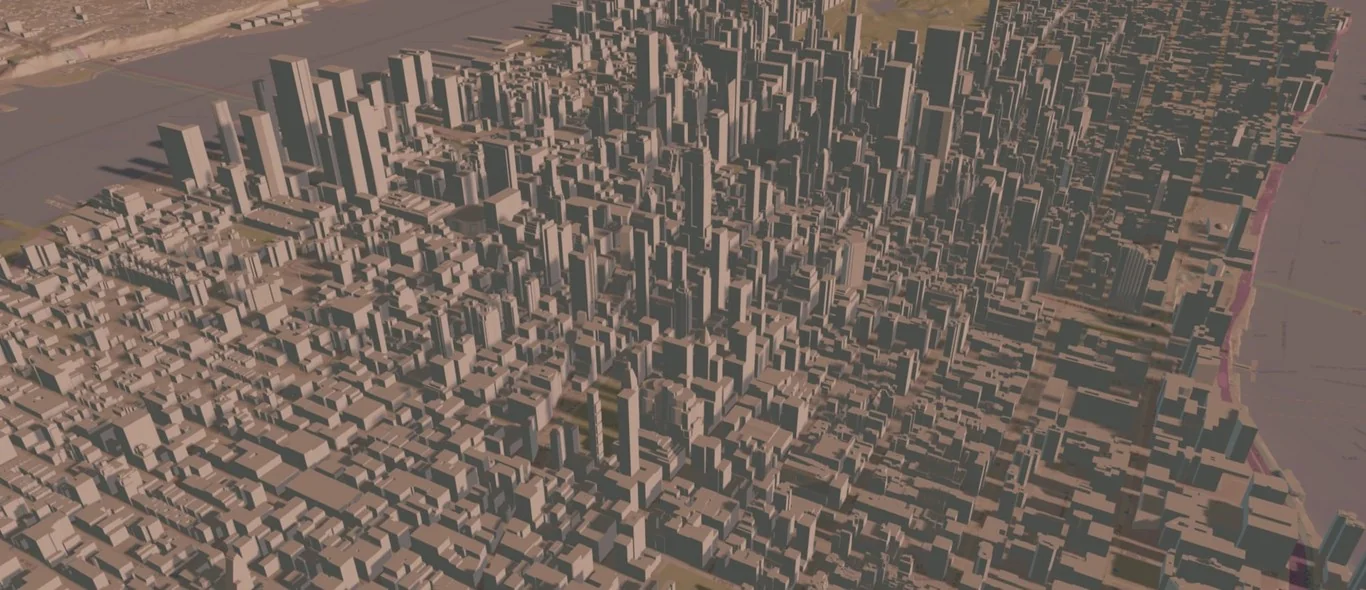
In May we introduced the Evergine.Cesium add-on, which brings a streamed, globe-scale digital Earth to .NET applications. Since then, the team has rebuilt the way it renders with one goal in mind: making it much faster.
A digital Earth is a demanding workload. Hundreds of tiles of terrain, imagery and buildings come and go as the camera moves, and until now each one became its own object in the scene, with its own resources and its own draw call. Now all the geometry lives in one shared buffer and all the imagery in a single texture atlas, and the GPU itself decides what to draw and renders every visible tile at once. Cesium also runs on its own thread, so it no longer competes with your application for the frame.
And it is still a first-class Evergine citizen. The tiles are lit with Evergine’s standard lighting, cast and receive shadows with the new shadow system as the sun moves through the day, and the whole pipeline runs on DirectX 11, DirectX 12 and Vulkan. Memory use is also predictable now, because everything lives in a few large resources created once, and the add-on reports how full they are so you can keep an eye on it.
All the details are in A Faster World: Rebuilding the Evergine.Cesium Renderer.
A huge push for stability
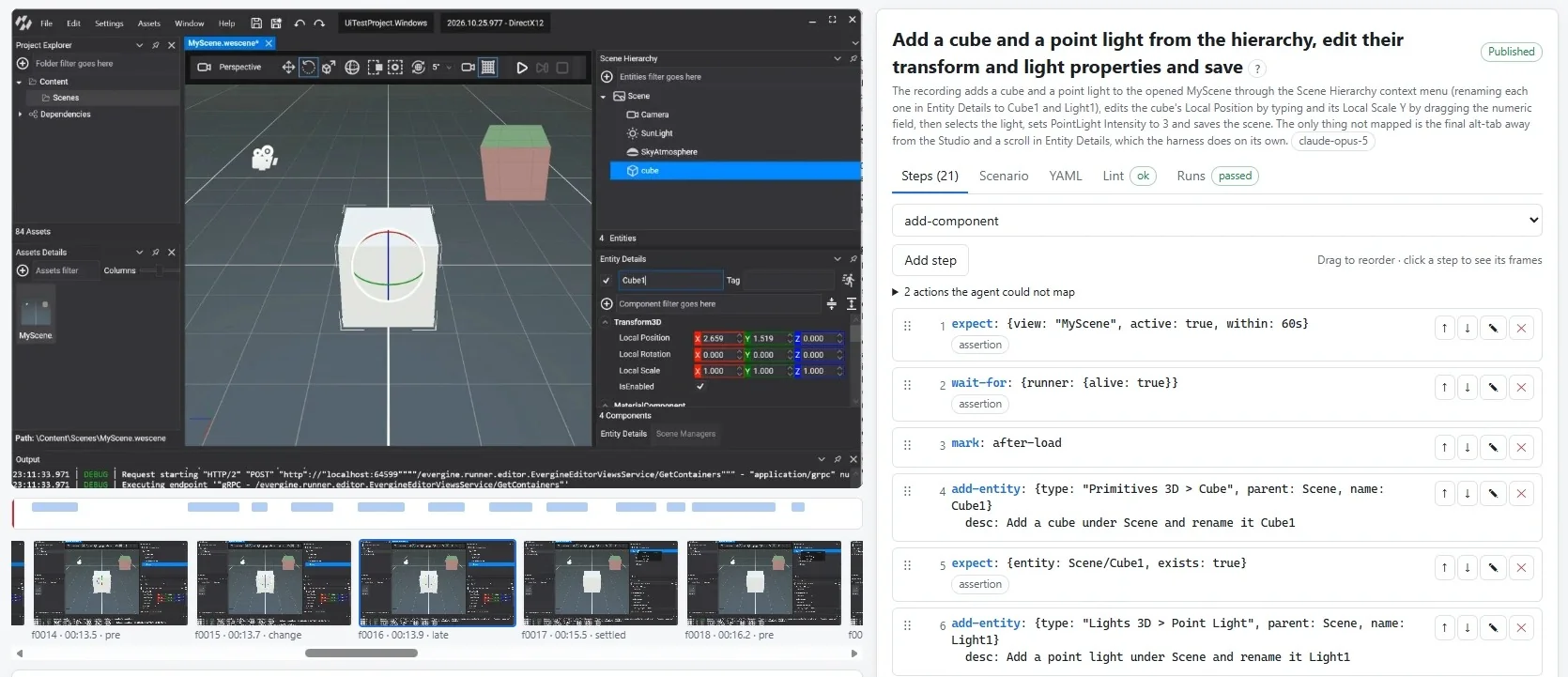
Not every highlight of a release is a new feature. Since the May release, the team has put a huge effort into making Evergine and its APIs more stable: more than 200 reported bugs closed and over 300 fixes merged into the engine, across the framework, the graphics backends, the components and the editor.
To keep it that way, we have also invested heavily in testing. More than 1,600 new automated tests now check the engine, from unit tests to visual tests of the editor, and they run on our own GPU runners, so rendering is tested on real hardware.
We have gone one step further with Evergine Studio. Using FlaUI, an open source library that controls Windows applications through the Windows accessibility APIs, we are building a battery of visual tests that launch Evergine Studio and reproduce actions directly on the editor, just like a user would: adding entities, editing their properties or saving scenes. They run on our GPU runners and let us reproduce interface bugs as many times as needed and prevent regressions in features that already work. All of this will also help us keep improving the stability of the editor in every upcoming release.
Better documentation
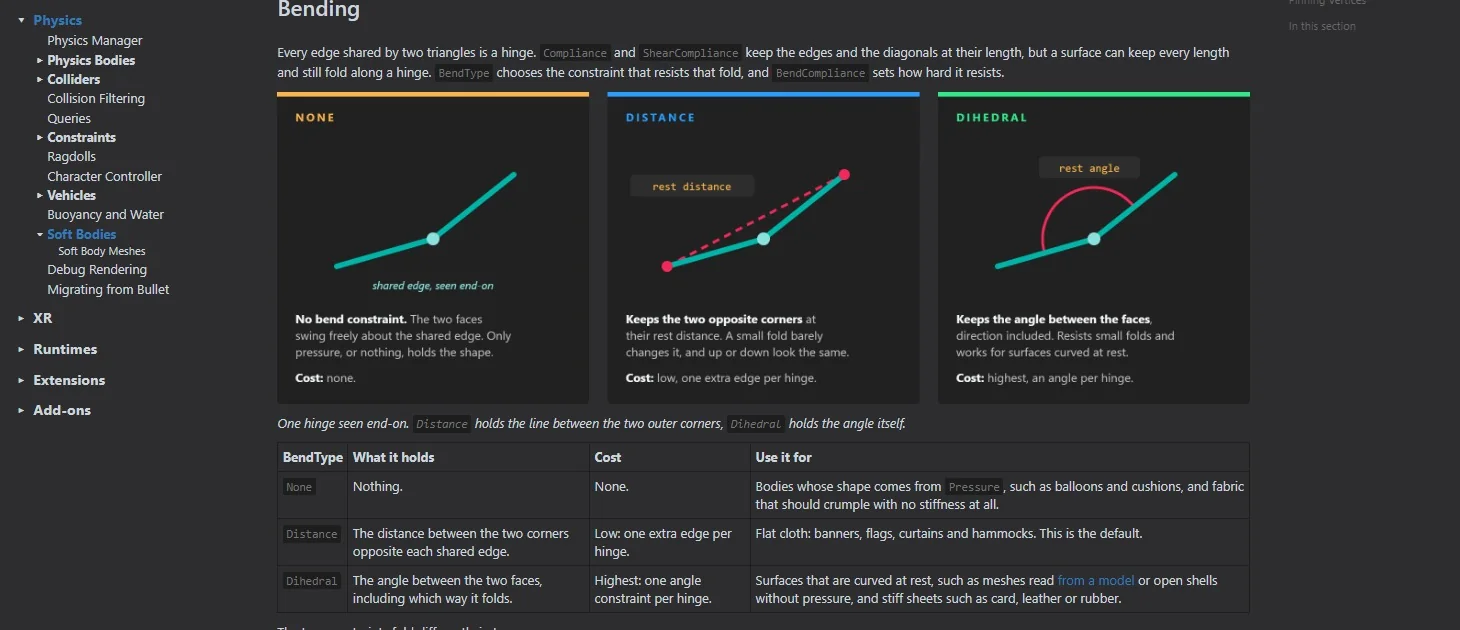
For us, documentation is as important as the code itself, because anything that is not explained simply does not exist. It is something we have been investing in for years, and this release takes another big step.
The documentation for this version adds 51 new pages and updates more than 220, with 144 new images and diagrams and 58 new videos. Every page tries to show, not just tell: diagrams that explain how things work, videos of each feature in action and code samples ready to use.
The new physics section is the best example. Its 43 pages cover Jolt in depth, from colliders, constraints and queries to vehicles, ragdolls, cloth and other soft bodies, plus a guide to migrate from Bullet, with more than 60 videos and code samples on almost every page.
You will find it all at docs.evergine.com as soon as the release is out.
Future work
Many of the features in this release follow the same path, and it is worth stopping for a moment to explain it. We see AI applied to industry as a journey in three steps. First, capturing reality as data: this is the world of Spatial AI, where technologies such as Gaussian Splatting, point clouds or LiDAR scans turn a real place into information a computer can work with. Second, turning that data into knowledge, with AI models that understand what is in a scene. And third, turning that knowledge into actions in the physical world, which is where robotics comes in.
This journey toward Physical AI will be key for the digitalization of industry, and simulation will become essential in it. Being able to simulate changes and test decisions before applying them will save companies a great deal of money, because trying something in a simulator costs only a fraction of trying it in the real world, and it will make every process much faster.
That is why this is the vision we are focused on, and why physics is one of our main priorities for the coming releases: we want Evergine to be a technology on which companies can build this kind of simulation. Jolt is the first step, and MuJoCo will be the next one. Many of the pieces we are working on point in that direction.
At the same time, we have spent all of 2026 rewriting the rendering system of the engine around a new render manager. Its focus is efficiency and performance, and making the most of everything that modern graphics APIs offer. The results so far are very promising: based on our internal performance tests, we expect it to double the performance of the engine. We plan for this work to arrive in the next release, the first one of 2027.
Thank you for your trust. Every project built on Evergine, every piece of feedback you share and every new use case you push the engine into helps us shape what it becomes next. We cannot wait to put the next release in your hands.
We hope you enjoy this new release!

